
In Formula 1, a pit stop used to take more than a minute. Today the best crews change all four tires in under two seconds. That didn’t come from one big breakthrough. It came from thousands of small fixes: a single wheel nut, optimized equipment, one less step for every person in the crew. And it never stops. A team that set the fastest pit stop last weekend shows up this weekend asking how to go faster.
Our product and engineering team thinks about live production the same way. Something that takes five clicks? We want it in three. Three clicks? Let’s see if it can be one. In a live show, every click is a precious second against a deadline. Removing the ones you don’t need gives that time back.
The newest updates to Tagboard Producer come from that mindset. They’re born from watching how our customers actually run their shows, and each one is built to make producing faster and easier without sacrificing any of the quality or reliability you count on.
Fewer clicks to produce
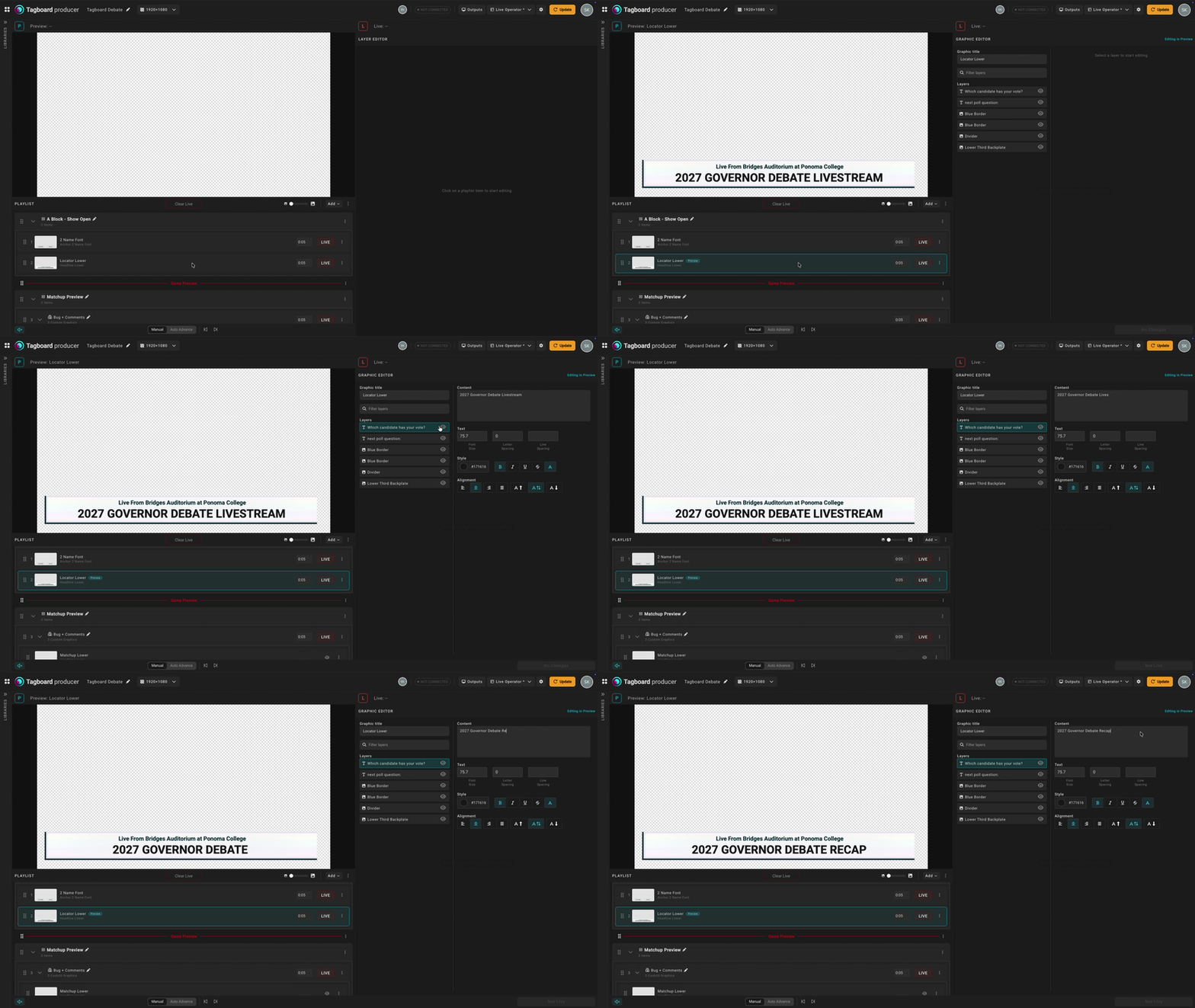
No more preview button. Let’s start by calling out the elephant in the room; the preview button is gone. But previewing a graphic is still there, and it’s easier. Simply click a graphic on your playlist and it instantly shows up in the preview window. Edit layers within the graphic editor and watch as the preview updates in real time. All those clicks to update preview are instantly eliminated.
Your preview is now yours alone. Preview used to be shared across the whole production. So if three people were stacking a show, all three saw the same preview. Now each person’s preview window is local to their device. One producer can edit a lower third while another checks a full-screen social post, and neither one interrupts the other.
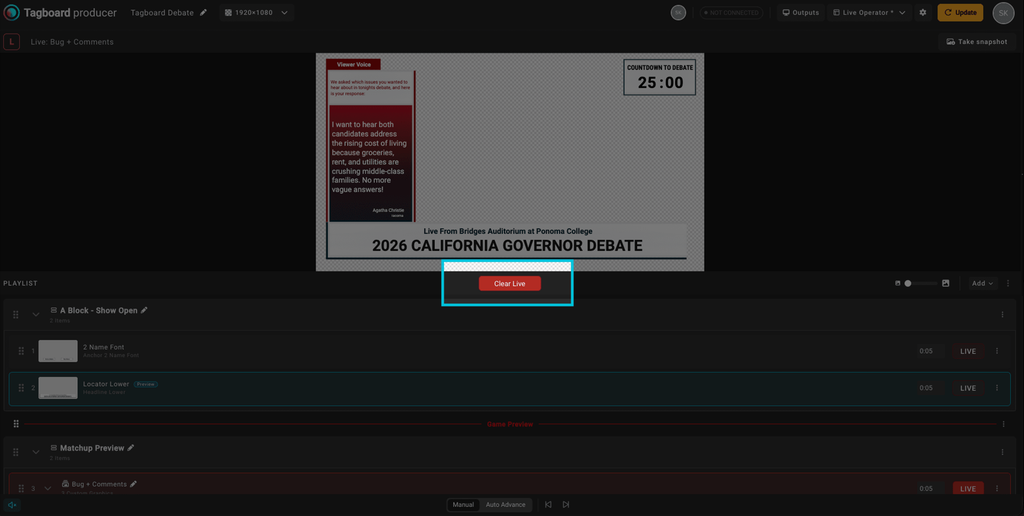
One-click to clear live. There’s now a universal Clear Live button at the top of your playlist. You no longer have to scroll the playlist to find what’s live. If something goes wrong mid-show, or if you’re producing a graphics heavy show and deep in the playlist updating something in another segment, you don’t need to scroll, find, and clear. The Clear Live button is always there when you need it in an instant.
Enhanced visual indicators
Color-coded graphic status. A graphic in preview is highlighted blue on your playlist. A graphic that’s live is highlighted red. When your eyes are jumping between monitors, scripts and the live chat, you can tell what’s in preview and what’s on air at a glance.
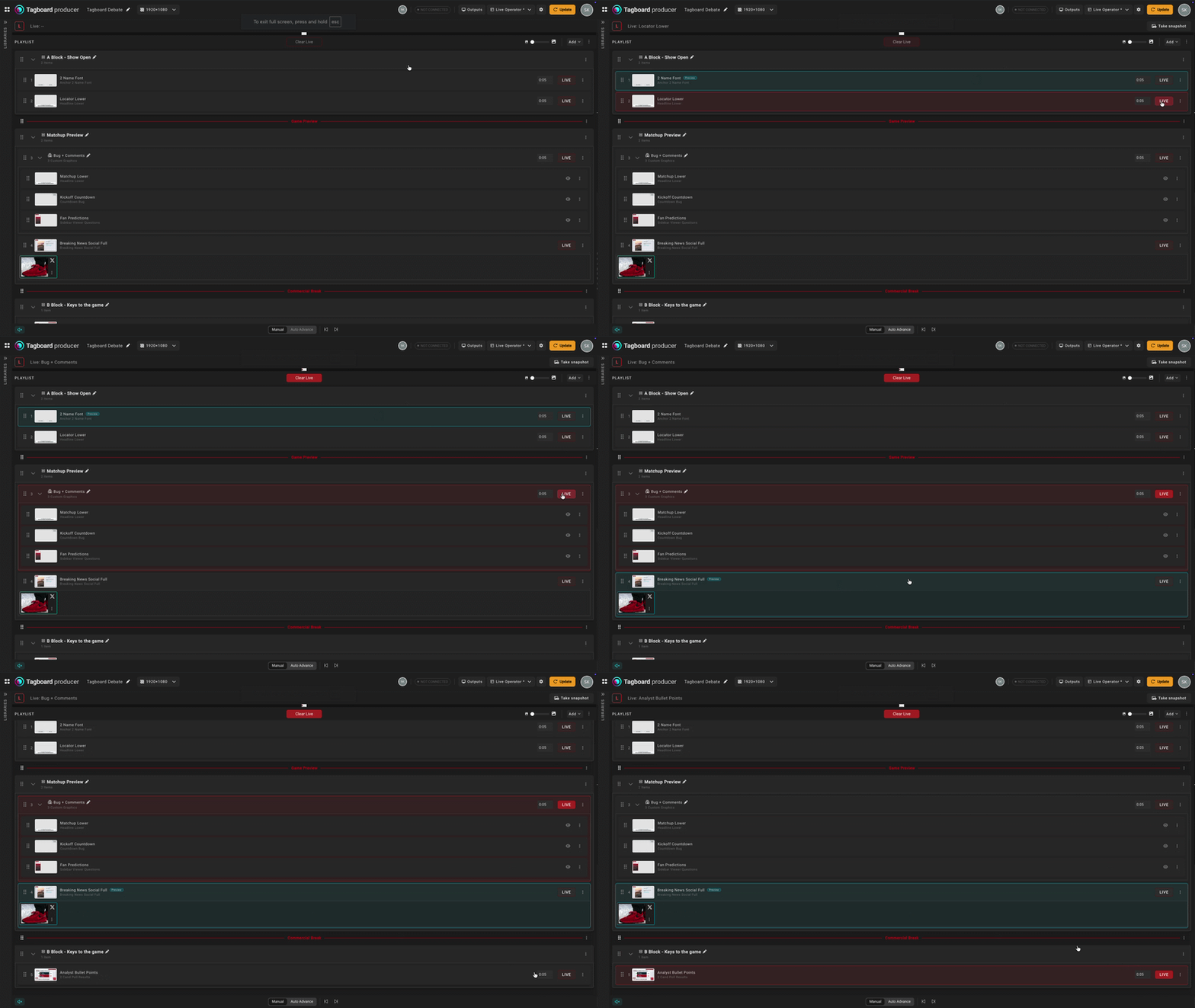
Numbered graphics. Every graphic on your playlist now has a number associated with it. That makes callouts in the control room quicker and clearer. Or if you’re using the new Tagboard MCP to trigger graphics with voice command, you could simply say “Take graphic 4” or “fly graphic 24” instead of reading out the full name of the graphic.
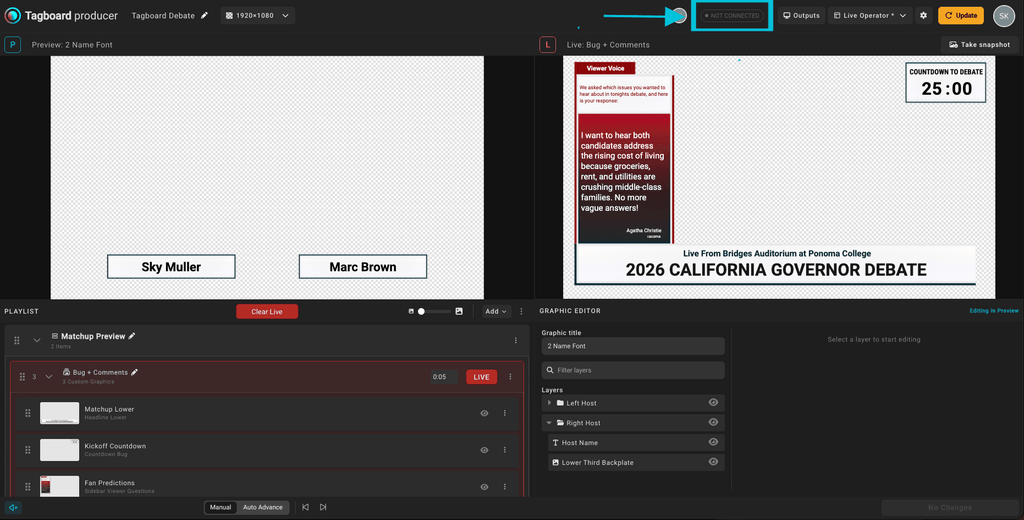
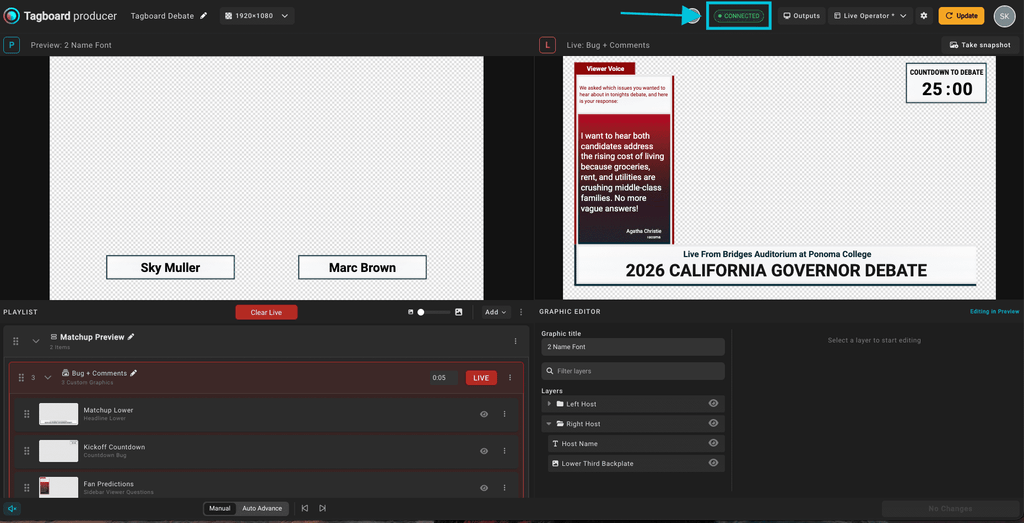
See connected screens at a glance. A new indicator in the top corner shows your connected screen status right in the Producer workspace. Now you’ll always know if you’re connected. You no longer need to click into your Connected Screens modal to check that your outputs are live.
A workspace for every role
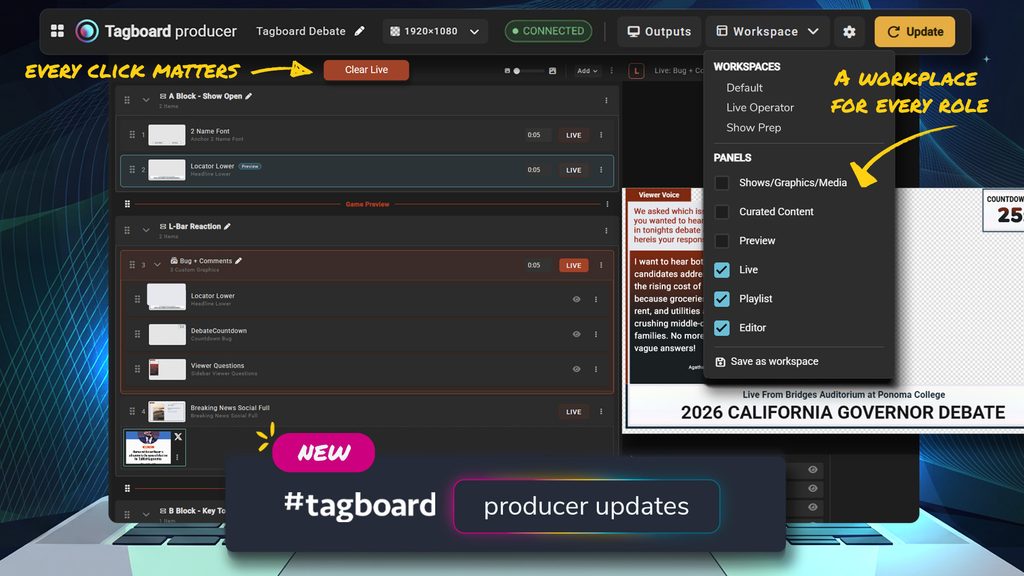
A producer stacking a show at 2 p.m. needs something different from a producer running it live at 5 p.m. Tagboard Producer now has custom workspace modes so you only see the sections of Producer that are relevant to the work you’re doing. We have some default options available, but you can also save any workspace layouts you create yourself.
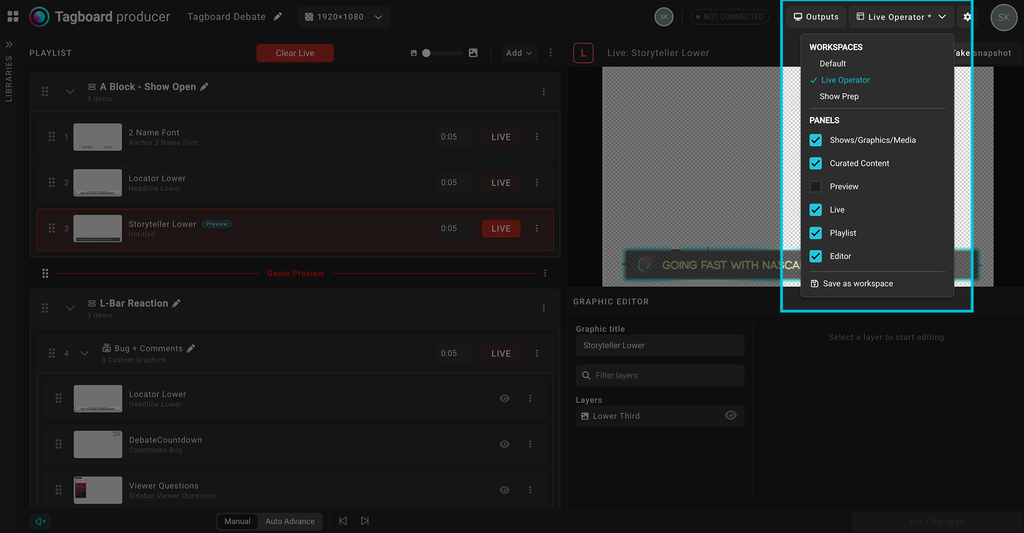
Default Workspace: Lays out Producer the way it was before. All sections are visible unless you manually collapse or hide sections.
Show Prep Workspace: Optimized for stacking the playlist and editing graphics.
Live Operator Workspace: Optimized for flying graphics during the show.
Custom Workspace: Arrange Producer the way that works best for you and save it as a custom workspace.
With any workspace you can hide sections you don’t need at the moment and bring them back with a click when you do. Or the more common occurrence that it’s the same person doing all those tasks, you can seamlessly switch between the different workspaces based on your current task.
Always chasing production efficiency
A single click may not seem like much, but over a three-hour broadcast, it’s hundreds of clicks, and every one takes time. Shared previews you had to take turns on, update buttons, scrolling to find what’s live, opening a modal to check your screens; each one added a little drag. Together, these updates take most of those steps out of your production process. Now, your production prep and live operations move faster, mistakes are less likely and you get more time to focus on producing a clean show.
These updates are now live. If you want any support navigating the updates, reach out to your dedicated Customer Success Manager, or reach out at support@tagboard.com.