
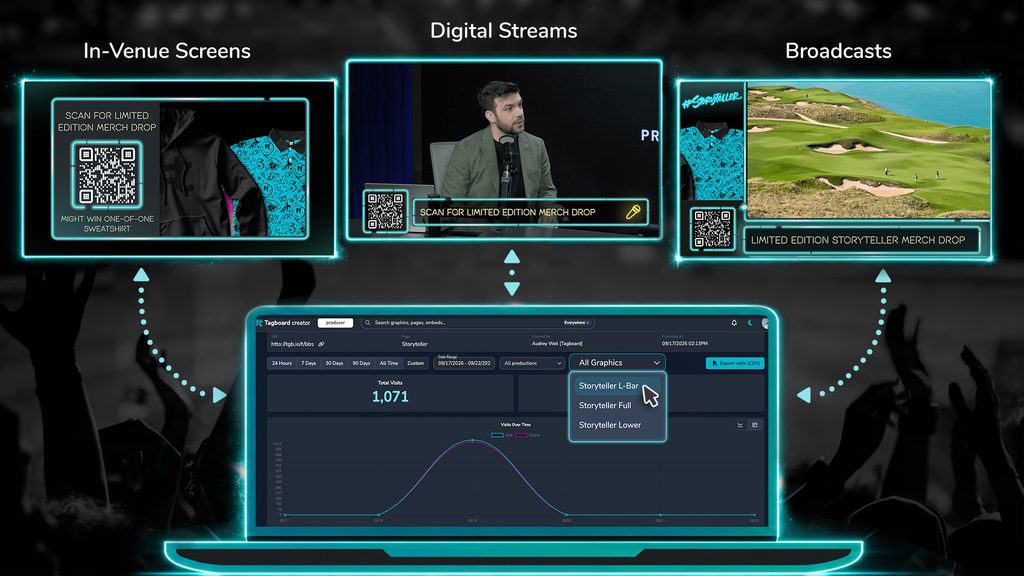
Create a tracking link. Use it everywhere. See all the results in one place.
A QR code is the Manhattan studio of your broadcast. It takes up a tiny corner of the screen, but it packs more value per pixel than any other real estate. It can turn viewers into participants, fans into contacts, and sponsor segments into measurable impact.
And like any great Manhattan address, it deserves a great doorman. Someone who knows exactly who comes and goes, and can answer the questions that matter:
- Which campaign drove the most participation?
- How did a sponsor perform across the entire season?
- Which channels hold our most engaged fans?
Today we’re rolling out enhanced analytics in Tagboard to help you better answer those questions.
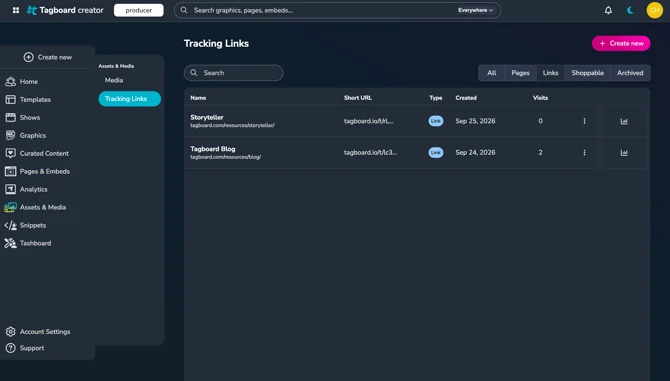
One link, every graphic
Tracking links live in a single location where anyone on the team can access them and see performance over time. It all happens in a few easy steps.
- Create a tracking link (name it & tag it)
- Use it across all your graphics
- See the impact across all channels in one dashboard
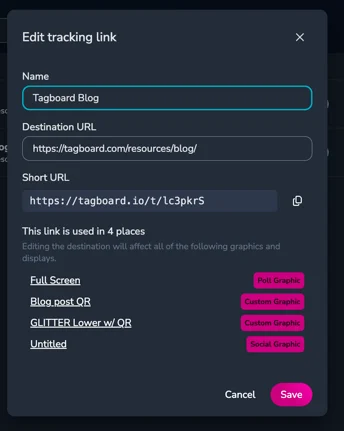
It’s important to note that one tracking link doesn’t mean one design. You can style each QR code however you want, and the look can change from show to show. In the end, the data stays together as one cohesive campaign.
Know where every scan came from
If you’ve ever run a UTM strategy, you know the tradeoff: channel-level precision means building, labeling, and keeping track of a separate tagged link for every placement.
If you’ve never run a UTM strategy, then know it’s essentially “all pain, all gain.”
Tracking links in Tagboard give you that same precision without the organization and maintenance. Create one link and use it everywhere: your broadcast, your stadium video board, your concourse screens, and your digital stream. Tagboard automatically tags each placement behind the scenes. You get one clean total for the campaign, plus you can still drill down to see exactly which production or graphic drove the engagement.
No pain. All gain.
Built for the whole team
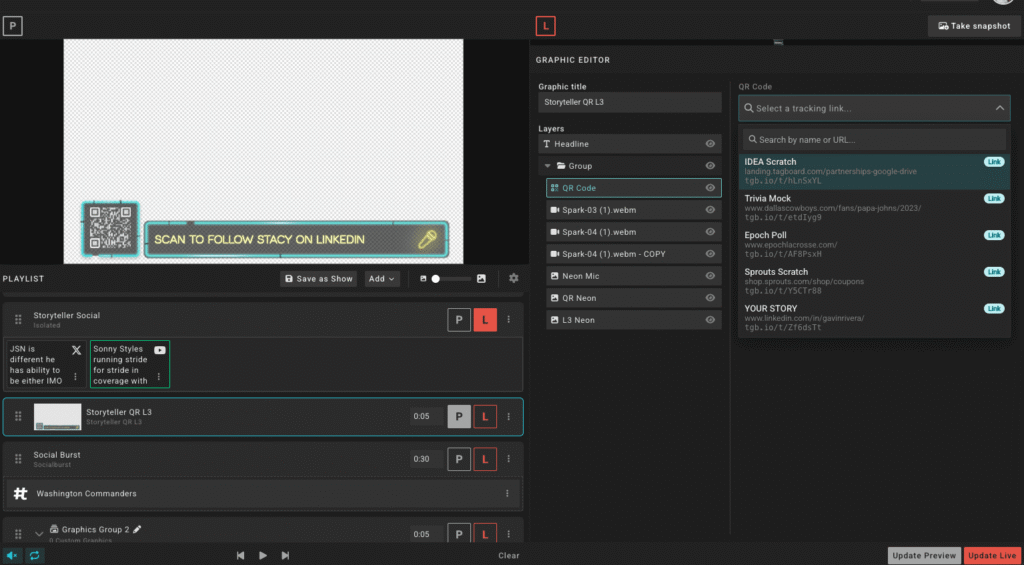
- Producers: Choose from a list of links right in Producer and swap them with a click. The setup happens before the show, so while on air you can stay focused on producing your show.
- Designers: Keep every styling option as it is today. Pick a link from the same dropdown/searchable list, or create a new one without leaving the builder.
- Marketing/Sales Teams: You have a new home for QR strategy. Plan campaigns, track performance, and see what’s working across every production.
- Sponsors & Partners: Get a clean, consolidated report, packed with real analytics you can trust.
Reporting sponsors will love
Filter by date, destination, or production to see exactly how a campaign performed. When it’s time to show a sponsor what their placement delivered, the numbers are complete, exportable, and easy to read. Now you can prove what every square inch is worth, making QR placement easier to sell and easier to renew.
Enhanced analytics is available today. Head to Assets & Media and then select Tracking Links to create your first link. For a step-by-step guide, check out our Tracking Links help article, or reach out to your Customer Success Manager for a walkthrough.