 Browse Integrations
Value Add
Production Efficiency
Pricing
Requires physical or virtual Stream Deck
Learn More
Step-by-Step Guide to Install Stream Deck Plugin
Categories
Elgato Stream Deck
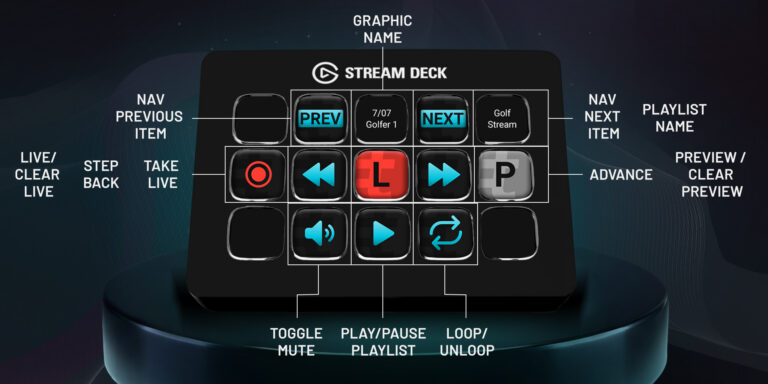
Trigger your real-time graphics from an Elgato Stream Deck device. The Tagboard Producer plugin turns your Stream Deck into a physical, or virtual, controller for your Producer playlist. Map any playlist action to a key, then take graphics live with a single button press. Built on the Tagboard Producer API, the plugin lets your real-time graphics sit right next to the camera switching and audio toggles that already power your show. One operator. One set of buttons. The whole rundown.
Controls include flying graphics in real-time, hot swapping between different overlays, navigating forward and backward in your playlist, pinning frequently used graphics, toggling mute, play/pause video, playlist looping, and more. This integrates with the entire marketplace of Stream Deck devices, and you can download the plugin here.
You might also like