
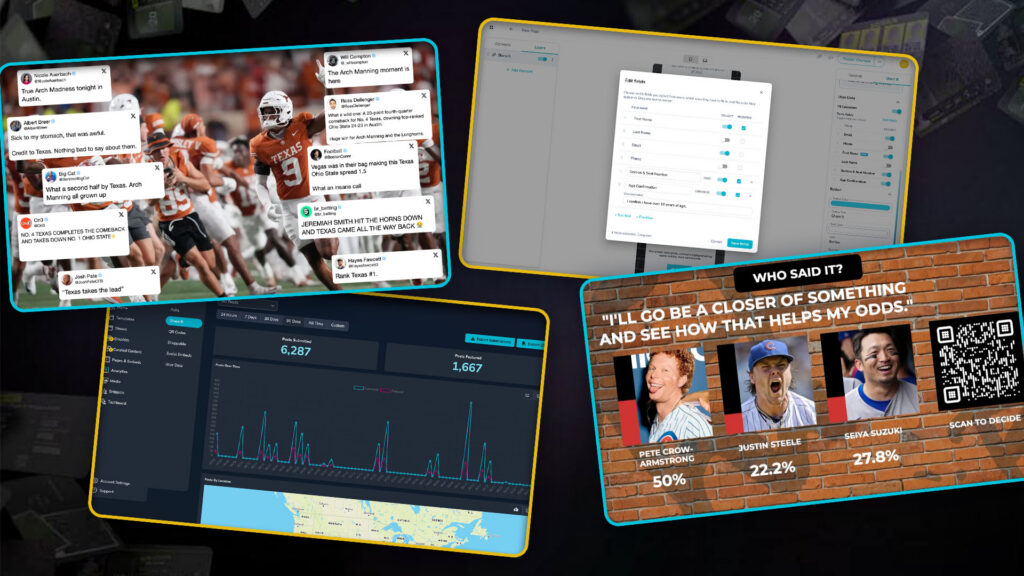
Football’s back. The NBA and NHL are gearing up. Election season is closing in fast, and high school football is about to take over local news for Friday Night Lights. However you use Tagboard, the next few months are likely one of the busiest stretches of your year.
So before things get loud, we shipped a round of product enhancements based on exactly what you’ve been asking us for. Here’s what’s new, and what it means for your shows:
Built for the Moment Everyone’s Talking About
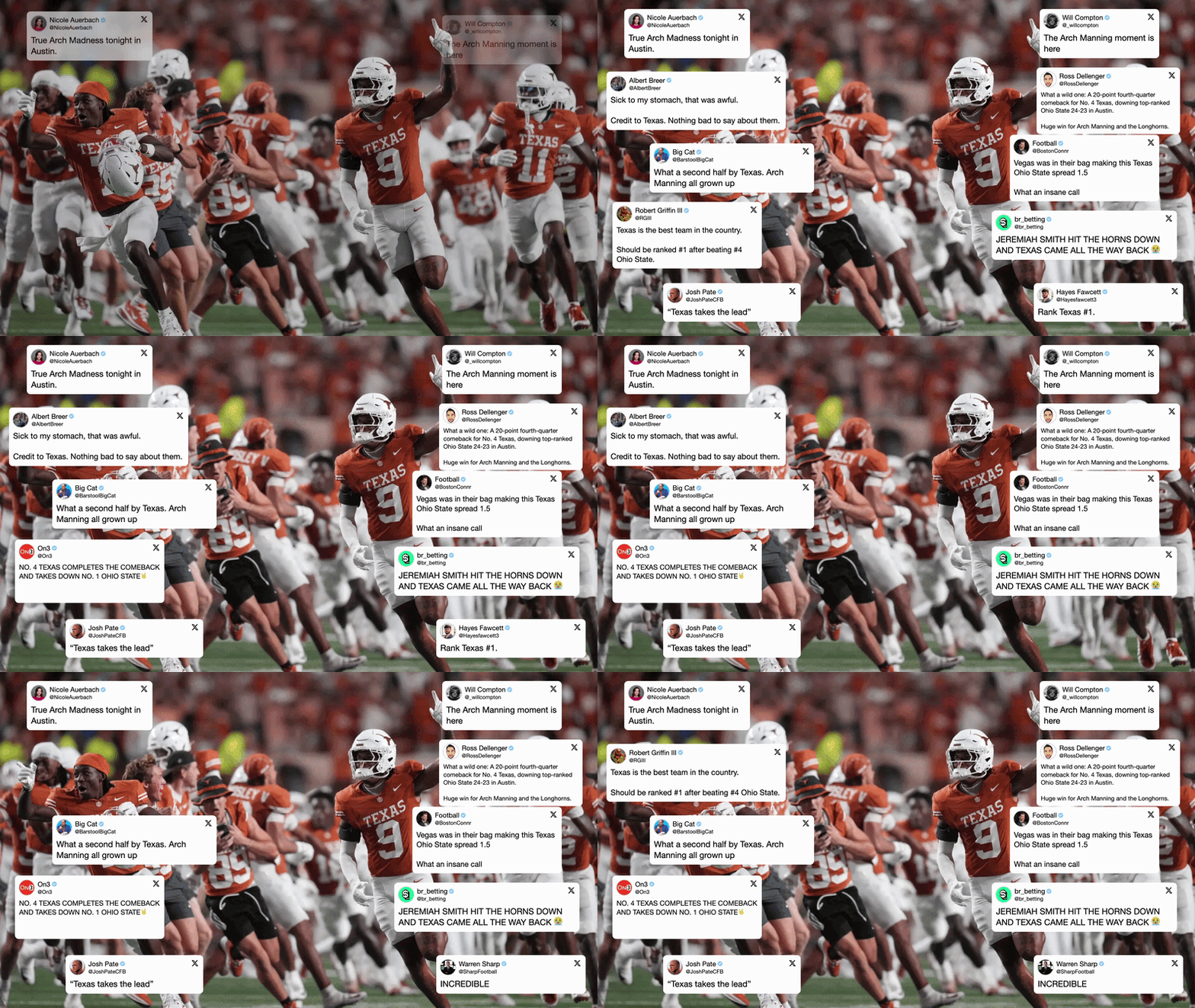
LeBron signs with a new team. Election night results are pouring in. Your QB breaks the passing record. You need to be the one who owns the moment the internet is already having.
We kept getting asked for a way to capture these viral moments. That’s exactly what our newest Social Graphic layout is built for. It puts one hero image or video fullscreen, then surrounds it with a burst of real-time social reactions.
Finally, an Answer to “How Many Uploads Did We Get?”
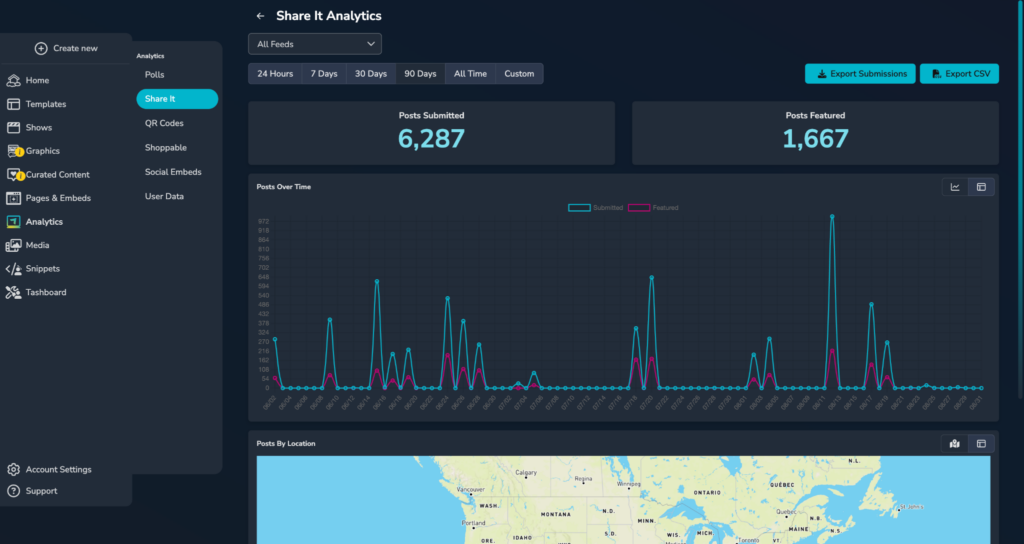
If you run Share It, you already know the question that comes up after every activation: how many people uploaded? How many made it on air? Are we beating last season…or the other team?
Right now, getting that answer means counting manually or asking us directly. Now, it lives right inside Analytics: a dashboard built specifically for Share It, showing you submissions and features over time, across every feed you run or narrowed down to one. Then it’s a one-click download to see a full breakdown of your analytics, upload by upload.
We’re arming you with the data you need to prove ROI to a sponsor, and, let’s be honest, the number you use to needle a rival about who got more fan photos this week.
Stop Downloading Photos One at a Time
We hear this constantly, and it always comes down to the same thing: teams and broadcasters build genuinely great Share It moments, then lose hours saving every photo by hand to actually use it for a recap post, a follow-up poll, a promo, a commencement gallery, or just to get it off Tagboard and onto their own channels.
Now that’s one click: your whole batch of Share It submissions, zipped up and downloaded all at once. Share It stops being a moment that lives and dies on your display, and starts being a real content pipeline.
Know Who’s Actually Behind the Upload
Earlier this year we launched personal data collection, giving you the ability to capture a name, email, or phone number alongside fan engagement. The obvious next step is to pair that with Share It, so every upload can come with a way to actually reach the person who sent it. That turns “upload your photo for a chance to win” into a contest you can actually fulfill. A story tip or fan photo sent to a newsroom evolves into a real lead your reporters can follow up on.
Your Form, Your Fields
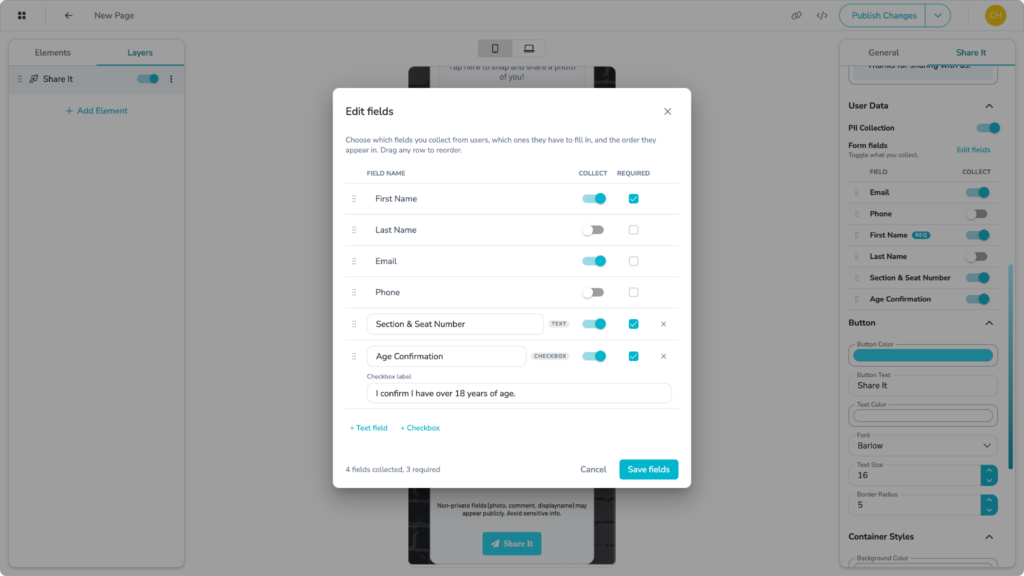
We’re also giving you more room to ask for what you actually need on those forms. Once PII collection landed, the next question was almost always the same: can we ask for more than just email and phone? Sports teams want seat and section info so they can actually deliver a prize. Venues need a way to confirm someone’s 21+ or get a zip code for compliance.
Now you can add up to three custom fields or checkboxes to any form, right alongside our standard fields your audience is already filling out.
Polls Get More Room to Design

Polls are getting more flexible, with more layout control and no code required. Vote bars will be able to grow vertically as well as horizontally, opening up designs like a meter that visibly fills up as votes come in, and making life easier for anyone building L-bars or J-bars where horizontal space is tight. And poll results will support multiple columns instead of one, so you can put an image next to a vote bar instead of stacking everything straight up and down.
Whether you’re building a tight lower third during a game, an election-night results board, or a full-screen prediction graphic on a Friday night, these are small changes, but the kind that let your polls actually match the graphics package around them.
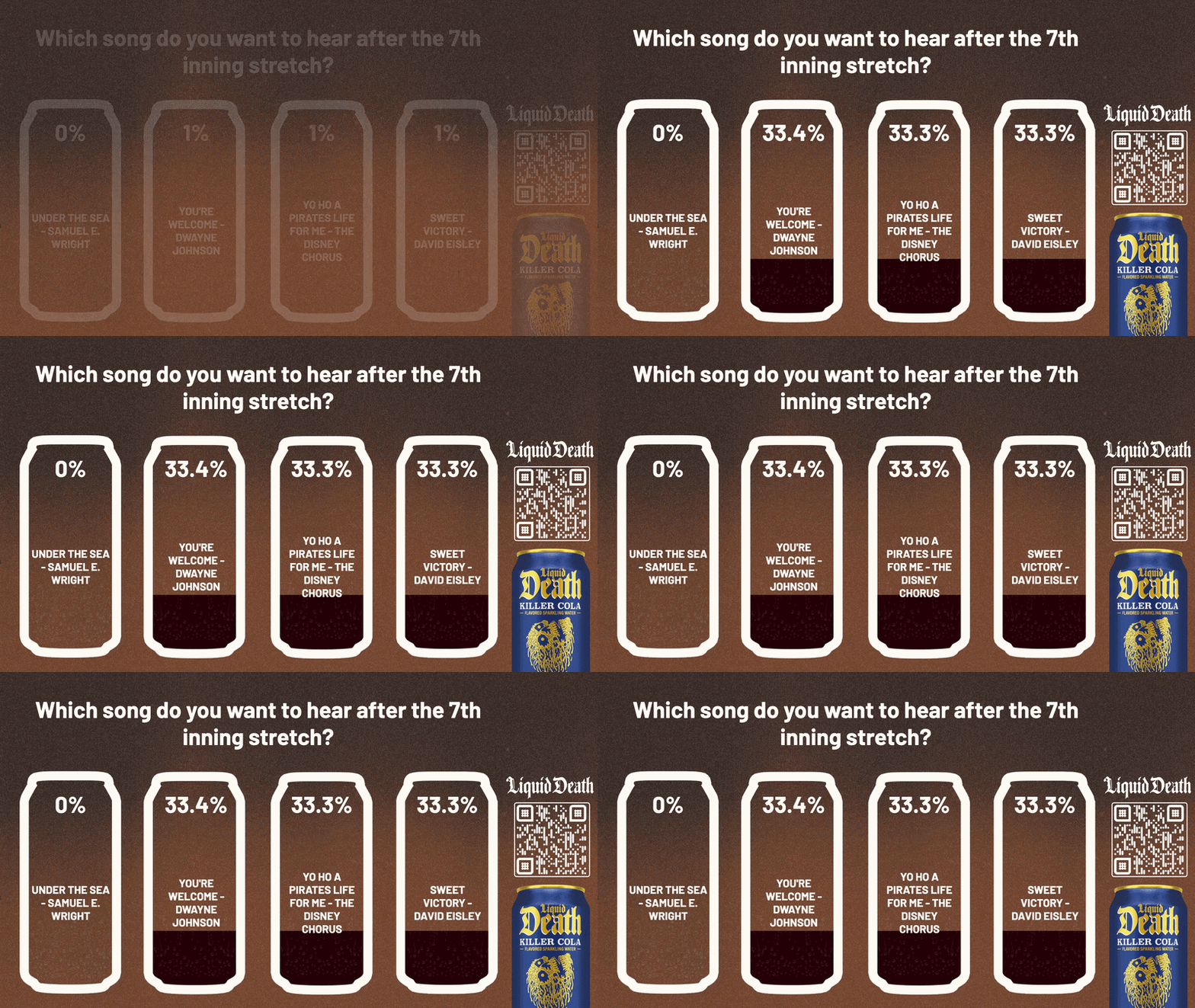
Want some inspiration for designing with these new options? Check out our brand new additions in the Template Library.
Two Clocks, One Job Each
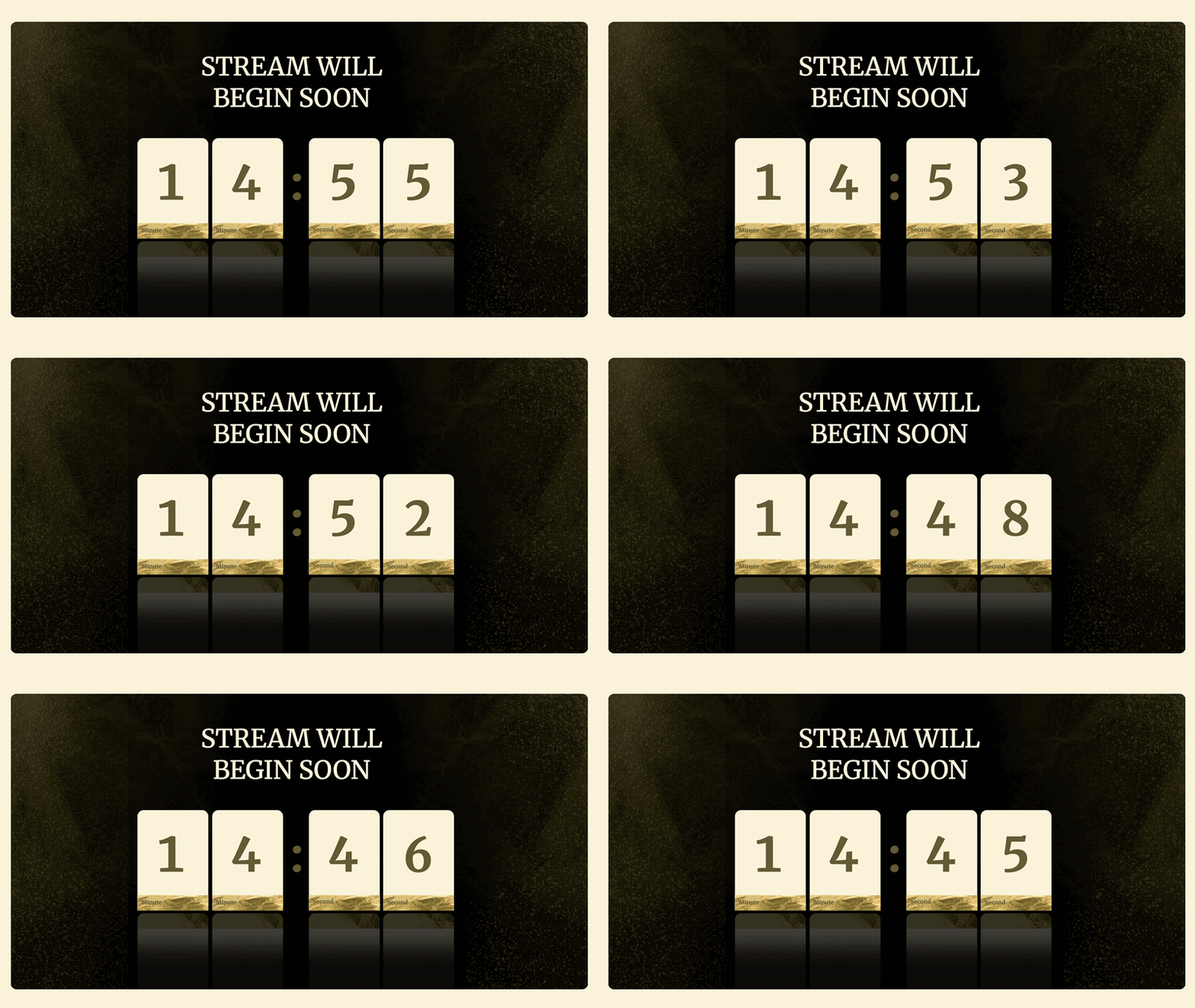
We split timers into two purpose-built elements: a countdown and a stopwatch.
Use the countdown to tick down to a moment like polls closing on election night or kickoff at a big game, or down from any date you set. The stopwatch counts up, for things like time elapsed since a milestone or a running soccer clock.
And now they run in the background: take one live, hit start, and it keeps its own time on screen or off, with a clear status showing whether it’s running, so you can pull it out of your live window and bring it back without it resetting on you. Counting down to a set date or time even plays automatically no need to push start on a clock that already knows when to hit zero.
Have questions, or want help planning how to use any of this in your shows? Reach out to your Customer Success Manager, or drop us a line at success@tagboard.com.