
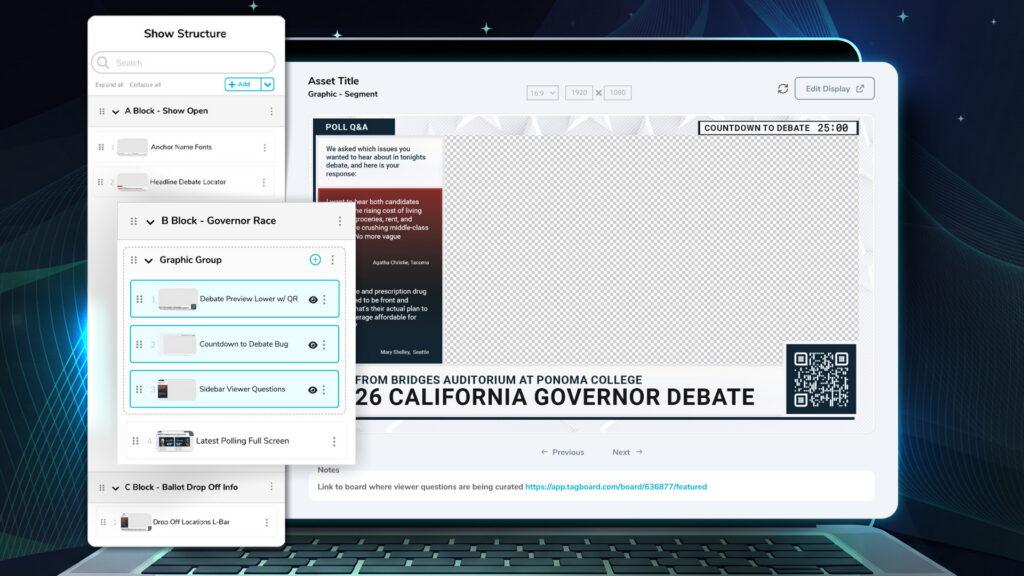
In a world where content moves fast, and the teams producing it have to move faster, every second of the production process counts. Show Builder is the newest capability in Tagboard, designed to give teams a dedicated space to build structured rundowns, streamline pre-production, and execute shows with fewer clicks.
Whether you’re running a weekly sports show, a nightly newscast, or a live event every production has its own format. Show Builder lets you define that structure upfront so your team can focus on creating great content rather than setting up a playlist from scratch.
Here’s a look at what’s new and how it elevates your production workflow:
Organize Shows into Repeatable Rundowns & Segments
Instead of stacking a playlist one graphic at a time, Show Builder introduces Segments where you can organize custom graphics, scenes, polls, and social graphics into a single block, similar to how producers think about their run of show.
- Create Segments: Organize graphics into blocks of content so that each section of your show is packaged into easy to navigate groups.
- Preview Scenes: Click on a graphic to preview the design, or click on a custom scene to see how multiple graphics will look on screen together.
- Leave Notes: Leave cues, reminders, and nuggets of information in notes on a specific graphic or for an entire segment. Helpful if the person who stacked the show is different from the one who will run it live, or if you just want to leave yourself some notes for later.
You can map out an entire show flow or create reusable segment structures that fit your exact style. When it’s time to go live, adding a fully structured show to your Tagboard Producer playlist takes a single click.
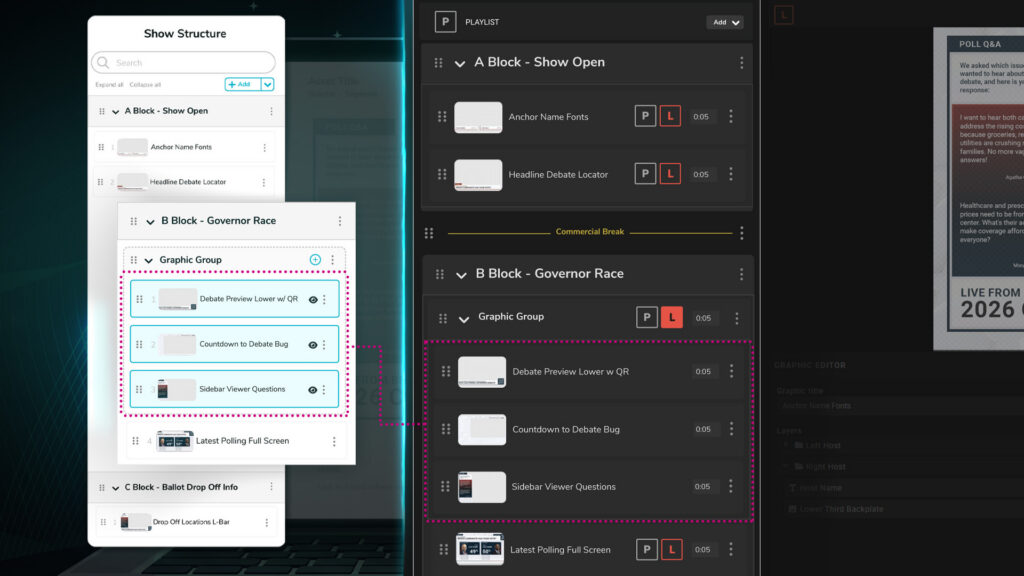
For shows already built in Tagboard Producer, you can save that as a new show and it will save the structure for future productions.
Introducing Markers: Clear Cues for Stronger Organization
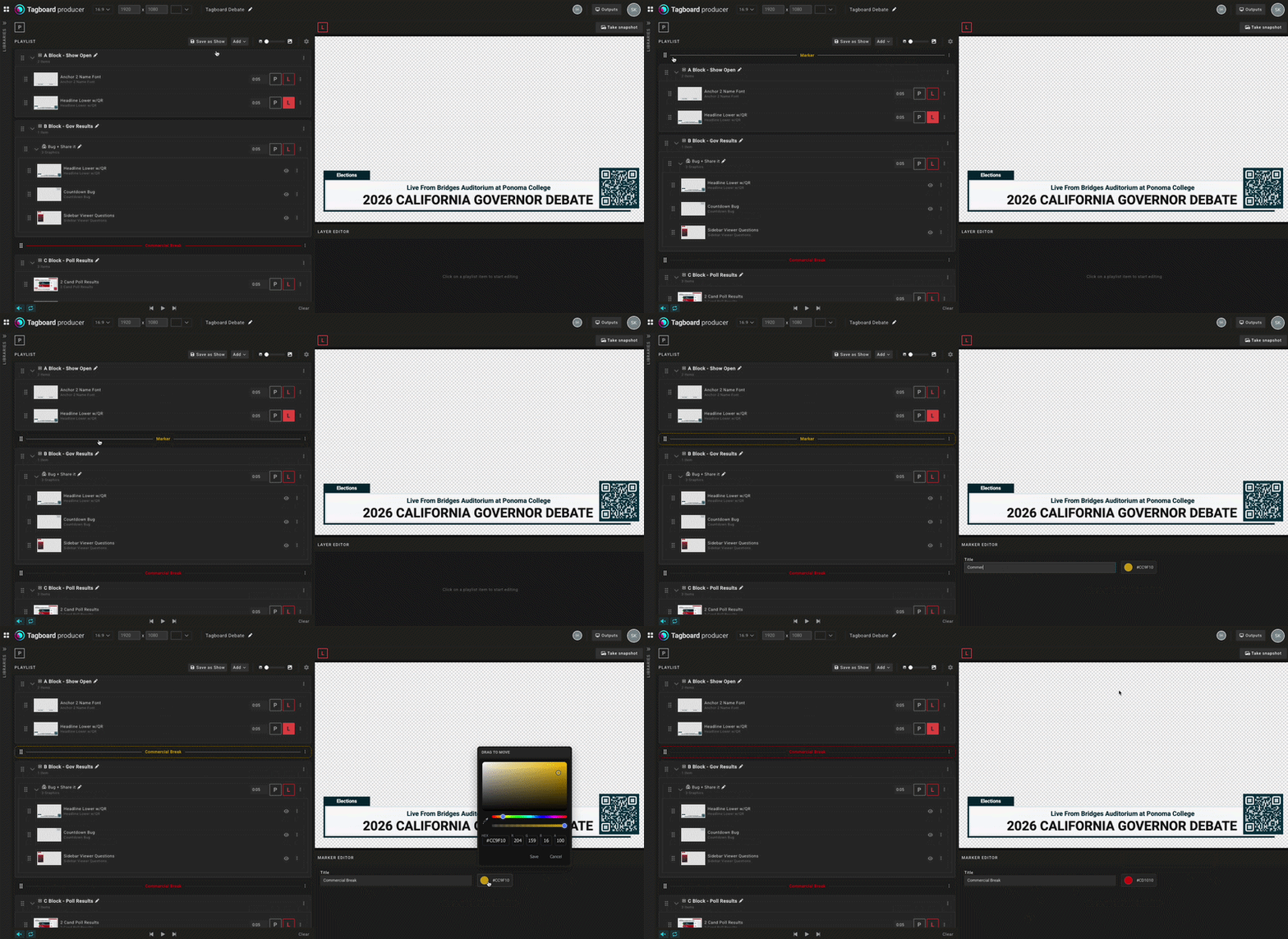
One of the most requested quality-of-life updates in this release is Markers. These serve as visual production cues within your show flow, perfect for denoting commercial breaks, camera cues, or segment transitions.
- Visually Distinct: Custom color-coding helps operators immediately see where they are in the rundown
- Built for Live Safety: Markers act as non-output items, meaning live operators can advance through graphics without any risk of accidentally firing a graphic or display to air.
Find What You Need Instantly with Global Asset Search
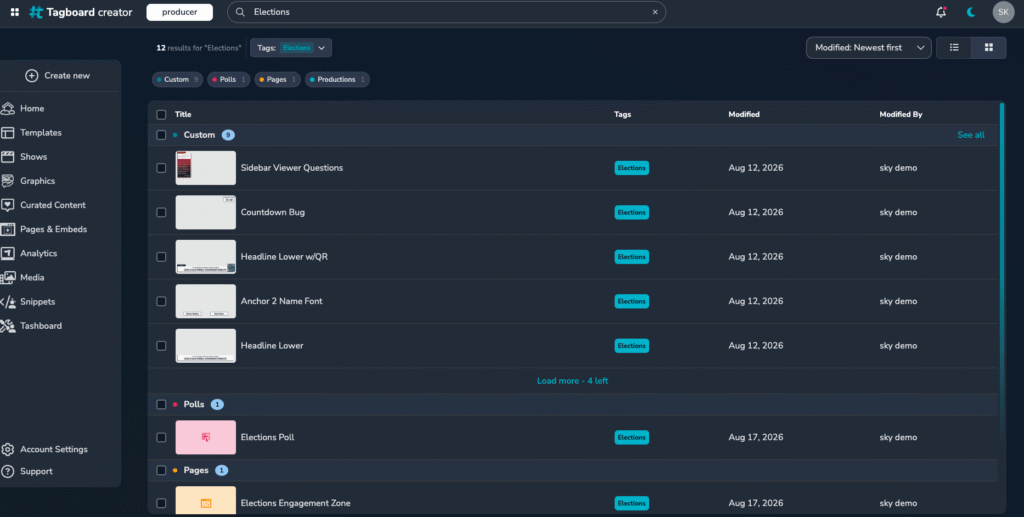
Hunting through multiple tabs to gather content for a show is now a thing of the past. With the launch of Show Builder comes Global Asset Search within Tagboard Producer, allowing you to search across your entire Tagboard library of graphics from one centralized spot.
- Search across custom graphics, polls, and social graphics using tags or keywords
- Filter results by graphic type to grab precisely what you need
- Add assets directly into your segments without breaking your workflows
Tagboard’s Show Builder is live today for all current customers, with no limits to the number of shows you can build.